Coming soon · one plugin, two modes

Codiag reviews and reports, coming soon.

It will read your drawings and your package against the code and name each requirement not met: where it sits on the sheet and the sentence it does not meet. It names; it does not fix, and it does not decide. Two modes: CodiagFlow on a sheet while you design, CodiagPro on the whole package before you submit.
FileEditViewCodiagFlow
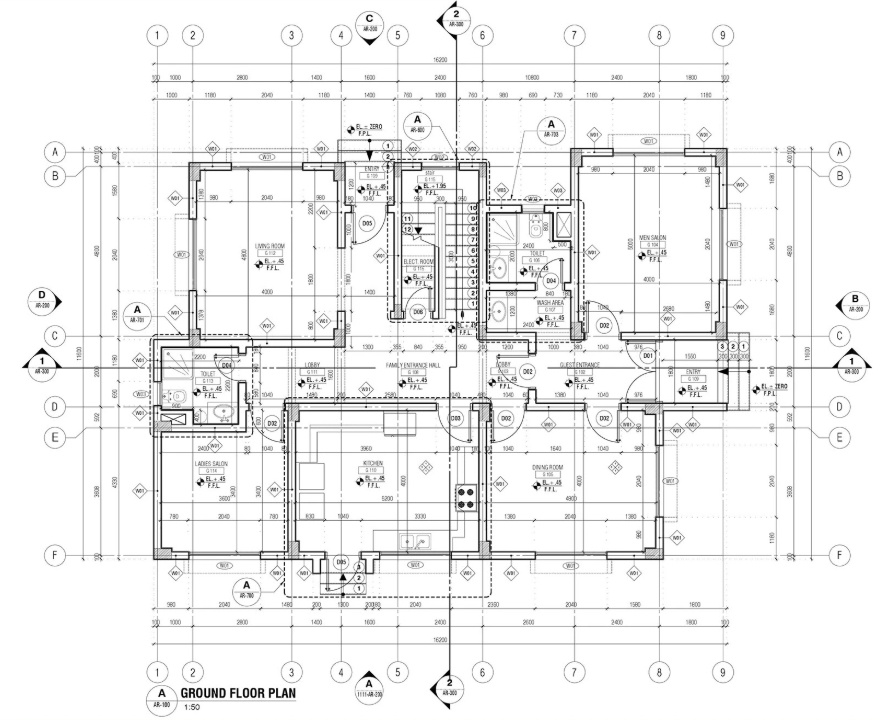
Architectural drawing sheet with requirements not met pinned in place, a concept of CodiagFlow123
Requirements
Guard height Not met
Egress window Low
Ceiling height Needs info
Stair width Met
Corridor width Met
1Pinned where it sitsEach requirement not met will be marked on the element it is about: red when it is not met, amber for a low value, grey when the drawing does not carry the value it needs.
2With the sentence it does not meetEach one will name the sentence of the code it does not meet, and open the article’s Master Card in CodeEase.
3It says so when it cannot tellWhen the drawing does not carry the value a check needs, Codiag will say so rather than invent a number or a clause.
Coming soon
no date; the pilot runs it first
Every requirement not met
with the sentence it does not meet
The decision stays yours
it names; it does not fix, and it does not decide

What Codiag will name

Each requirement not met, with its source

A requirement is what applies; the sentence is where it is written. Codiag will name the first and cite the second, and leave the decision where it belongs.

Coming soon
One requirement, as Codiag will report it
The requirement, what was read from the drawing, where it sits, and its source

What a report carries for each requirement not met: the requirement as the code states it, the value read from the drawing, where on the sheet it sits, and the sentence it does not meet, with the article’s Master Card one click away.

The requirement, as the code states it
What was read from the drawing, and from where
The sentence it does not meet, and the article’s Master Card
Needs info, when the drawing does not carry the value
Height of guardsNot met
RequirementGuards ≥ 900 mm where the difference in level is more than 600 mm (OBC 9.8.8.3.)
Read from the drawingGuard drawn at 860 mm on the stair to the lower level
LocatedStair guard, grid B–2 · pinned in drawing
NoteRead from the labelled guard height, not measured from geometry; verify against the section detail.
OBC 9.8.8.3. Master Card Pin in drawing

What one requirement not met will look like: a concept of the report, not a shipped screen.

Two modes, one plugin

CodiagFlow on a sheet while you design. CodiagPro on the whole package before you submit.

Both are Codiag, coming soon. One works on the sheet in front of you, the other on the drawings and documents of a permit package.

Coming soon
CodiagFlow: on a sheet while you design
For architects, designers and engineers, inside your design software

CodiagFlow will read the sheet in front of you, a room, a corridor, a stair, as often as you like, and name each requirement not met, pinned where it sits, with the sentence it does not meet.

Reads the drawing through your design software
Pins each requirement not met on the element it is about
Opens the article’s Master Card in CodeEase
Says so when the drawing does not carry the value it needs
FileEditViewCodiagFlow
123
Requirements
Guard height Not met
Egress window Low
Corridor width Met

A concept of CodiagFlow: direction, not a shipped screen.

Coming soon
CodiagPro: on the whole package before you submit
For permit preparation and plan examination

CodiagPro will read the drawings and documents of a permit package against the code and name each requirement not met, with its source, in a report that goes with the submission.

The whole package, across drawings and documents
Each requirement not met, with the sentence it does not meet
A report to attach to the submission
Every article’s Master Card one click away
Package reportExport
Package
✓A-101Site Plan
✓A-201Floor Plans
!A-301Sections2 not met
✗M-101MechanicalMissing

A concept of the CodiagPro report: direction, not a shipped screen.

Which mode, when

The sheet you are designing, or the package you are submitting

 
CodiagFlow Coming soonWhile you design
CodiagPro Coming soonBefore you submit
Scope
One sheet, or a selection on it
The whole permit package
When
As often as you like, while you design
Once, before the set goes in
Reads the drawing through your design software
Each requirement not met pinned on the sheet
—
The sentence it does not meet, and its Master Card
Across the drawings and documents of a package
—
A report to attach to the submission
—

What it will not do

It names; it does not fix, and it does not decide

BlinKode’s confidence never exceeds the evidence behind it.

Every requirement with its source
Every requirement comes with its source, so it can be verified in the code itself.
It says so when it cannot tell
When the drawing does not carry the value a check needs, Codiag will say so rather than invent a number or a clause.
Approval stays with the building official
BlinKode does not approve anything. That stays with the building official.
The decision stays yours
BlinKode does not decide. The people who do this work do.

BlinKode does not guarantee compliance or a permit. BlinKode is not legal advice. BlinKode does not run on its own. What it brings is read by a professional before anything is drawn, submitted or approved.

Join the pilot

Codiag is not ready yet. When it is, the pilot runs it first, on real projects, before anyone else.

The decision stays yours.