Available
Code Workspace
Understand the code. Apply it in context.
Turn complex building-code provisions into practical guidance, connected references and visual explanations grounded in the source.
Explore Code Workspace →BlinKode is the intelligence behind building code.
From understanding requirements to reviewing projects, BlinKode connects the code work behind professional decisions.
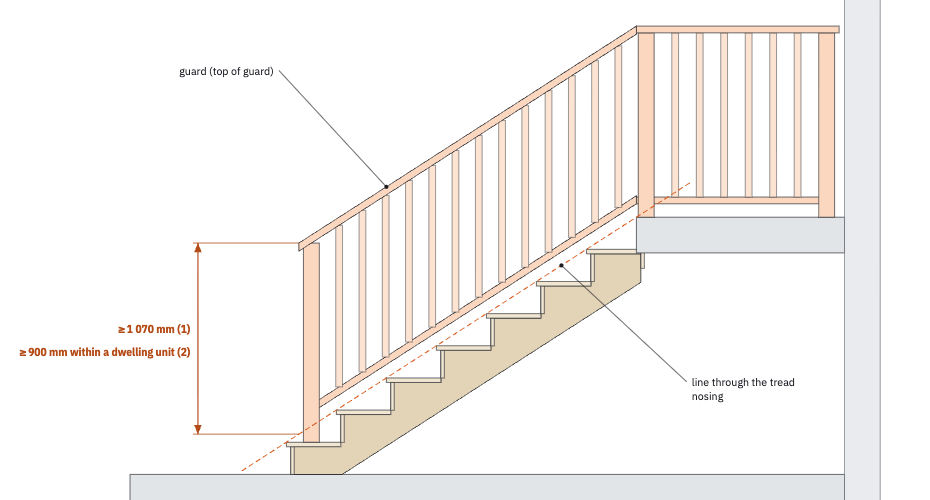
(1) Except as provided in Sentences (2) to (3.1), all guards shall be not less than 1 070 mm high. (2) All guards within dwelling units or within houses with a secondary suite including their common spaces shall be not less than 900 mm high …
Every step rests on code work done by hand, and everyone behind a permit rebuilds that trail on every project.
Code Workspace
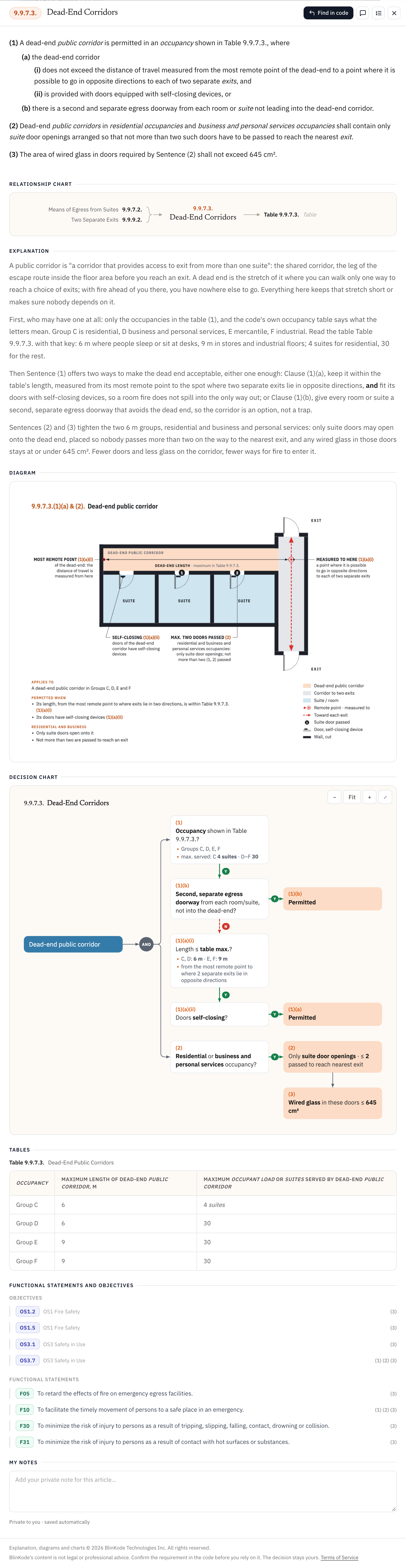
Turn complex building-code provisions into practical guidance, connected references and visual explanations grounded in the source.
Explore Code Workspace →Drawing Review
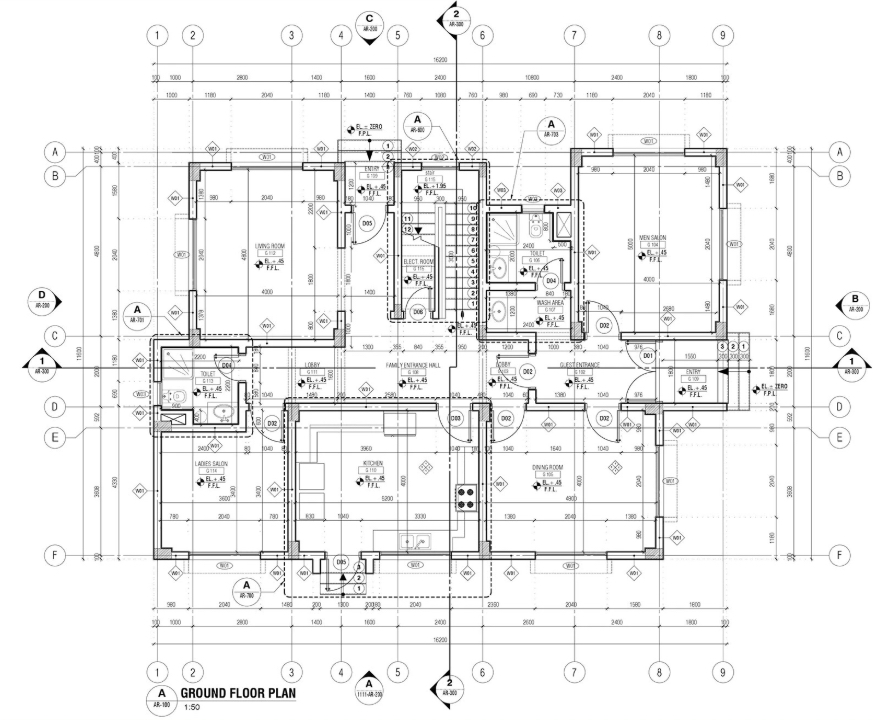
Identify potential code issues in drawings and permit packages, with findings linked to the relevant requirements and their sources.
See Drawing Review →Calculators
Enter a project's facts once, and the calculators work out what the code requires, every step shown with the article it comes from.
Calculators →Permit Library
Permit guides and documents from each municipality's own pages, checked by our team, dated and linked to the source: whether a permit is needed, the fee, what you submit, and what comes after approval.
Permit Library →When Drawing Review identifies an issue, trace it back to the requirement, understand its application in Code Workspace, and assess the finding in context.
Each has its own page.
30 days. No card needed.