A building permit draws on the code, the building’s facts and the municipality’s own requirements.
Each one sits in its own place. CodeEase brings the code, Code Matrix what the building’s facts require, DocHub what the municipality asks, each with its source. Codiag, coming soon, will review the drawings.
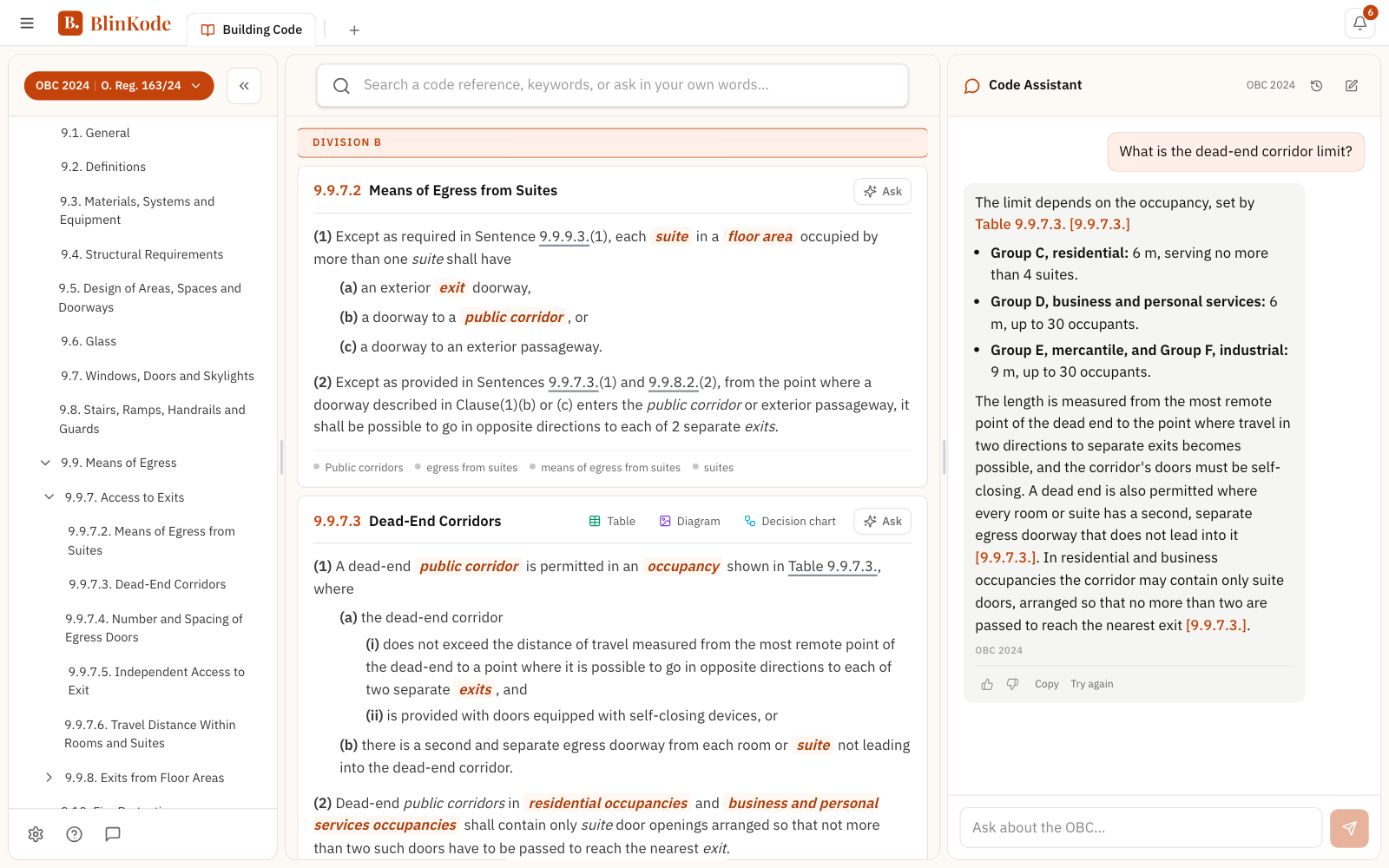
The source, checked before it reaches you
Beside every answer is where it came from, so you can read it there yourself.
What each one is for
Where the code work happens
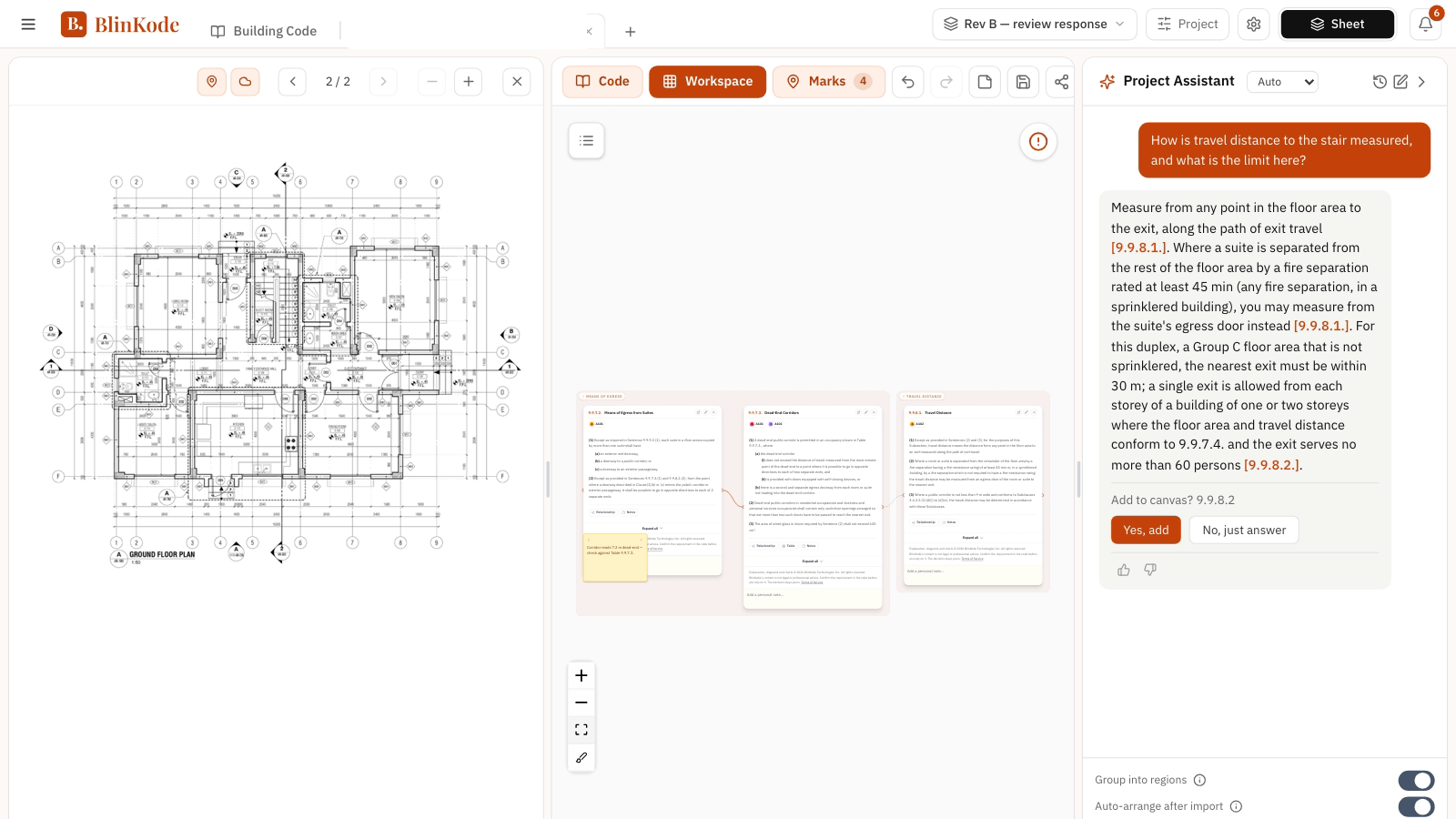
Two places to work: the Building Code, for reading, and a project, for working a building.
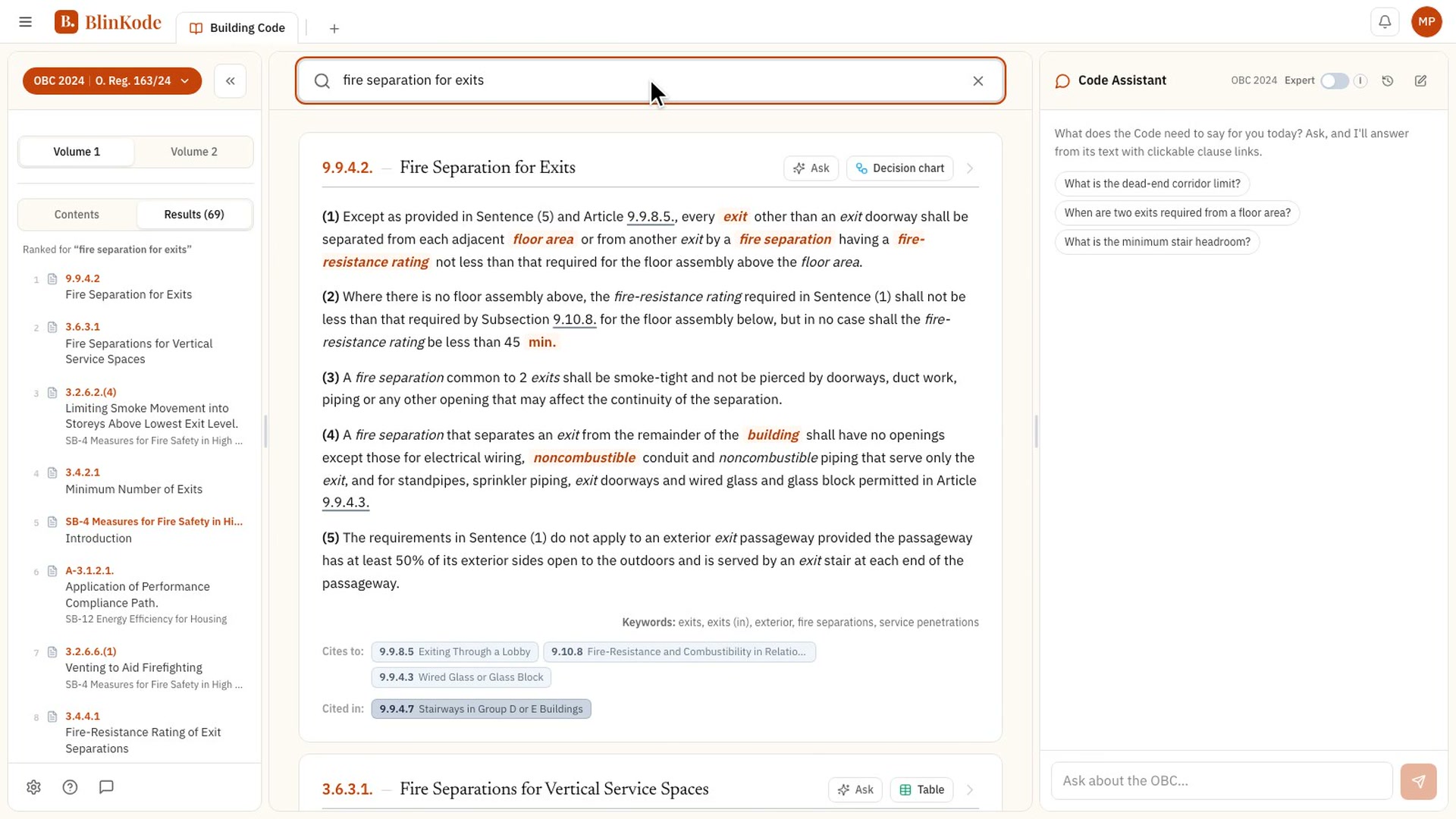
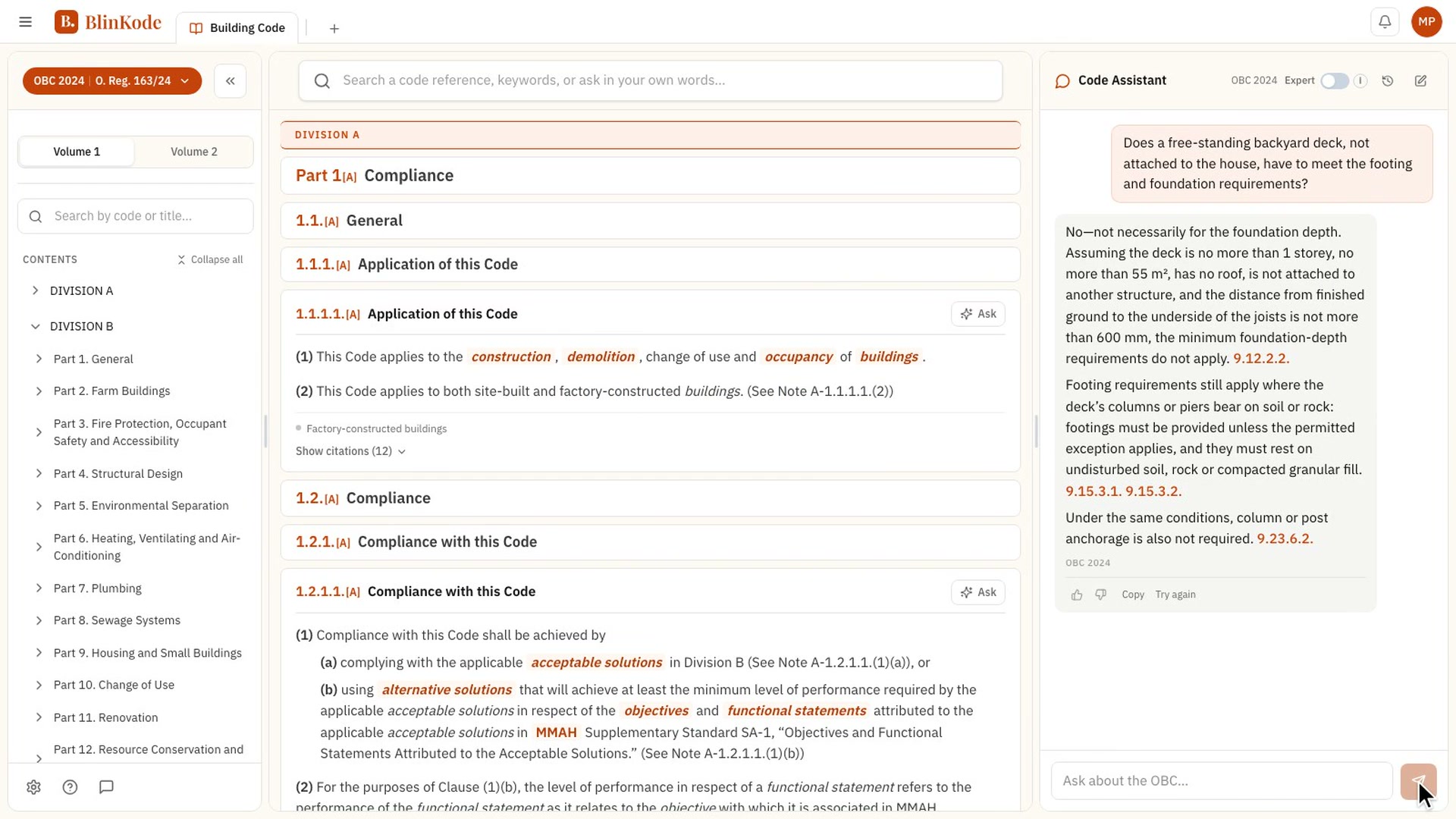
The code, whole
A requirement points to definitions, tables and sections elsewhere in the book, and each of them has to be found.
Division → Part → Section → Article, scoped to the edition you pick. Change edition and navigation, search and cards all follow.
- One bar, three engines. Exact code reference, keyword, or a question in your own words, resolved together into a single ranked list.
- Every clause, continuous. The full corpus in one scroll, with defined terms and symbols highlighted inline. Hover any term for its definition.
- Every edition addressed separately, so a card says which book it came from.
Code Matrix: each calculator names the articles it works from.
DocHub: the municipality lists what to submit; CodeEase shows what the code asks of it.
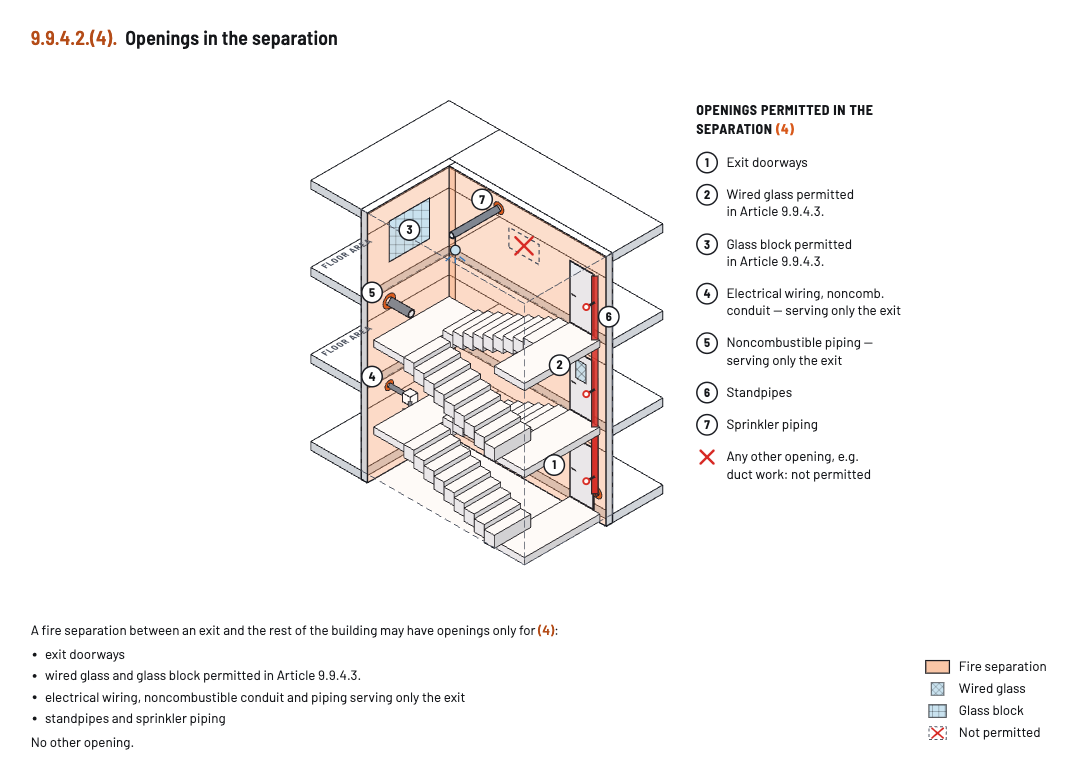
The Building Code, searched for “fire separation for exits”: the ranked results, Article 9.9.4.2 in the code, and the Code Assistant beside it.
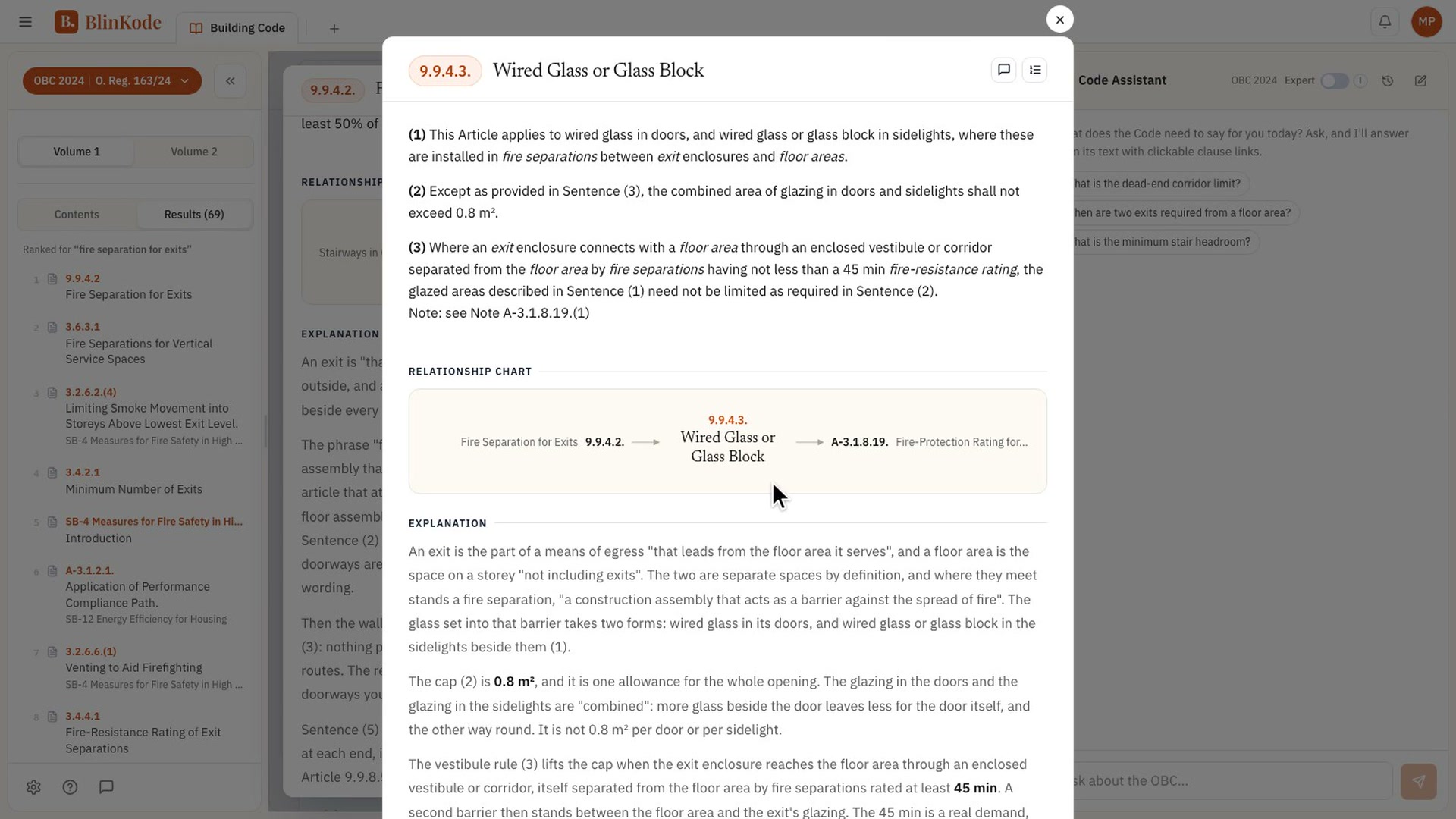
The article, drawn and charted
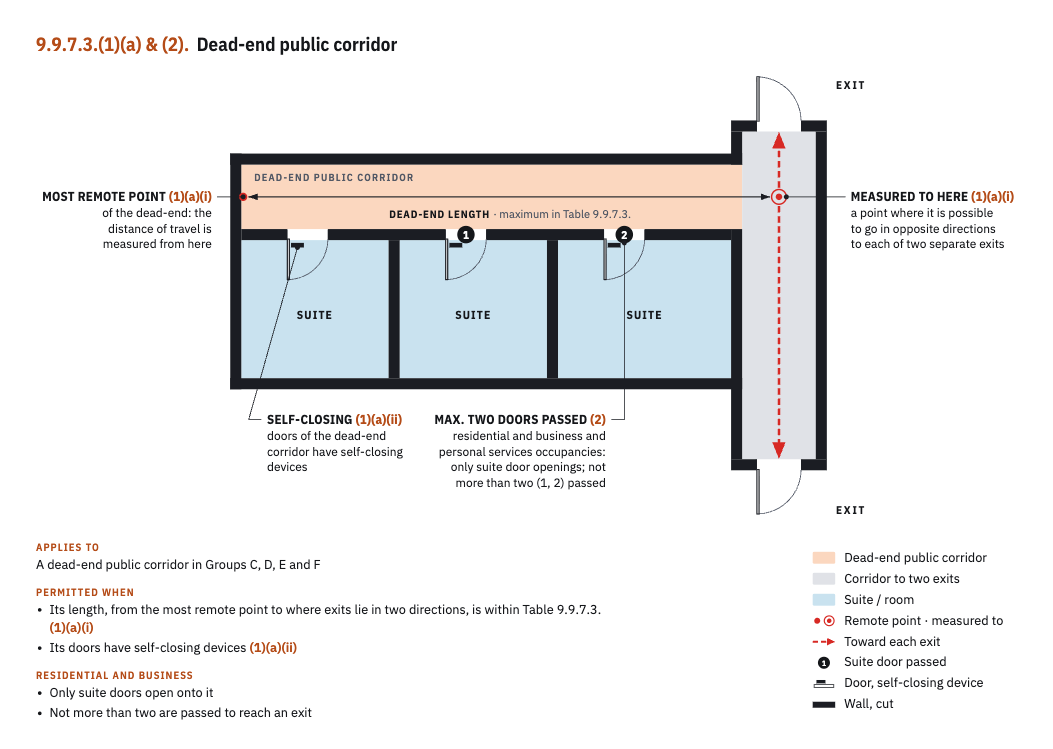
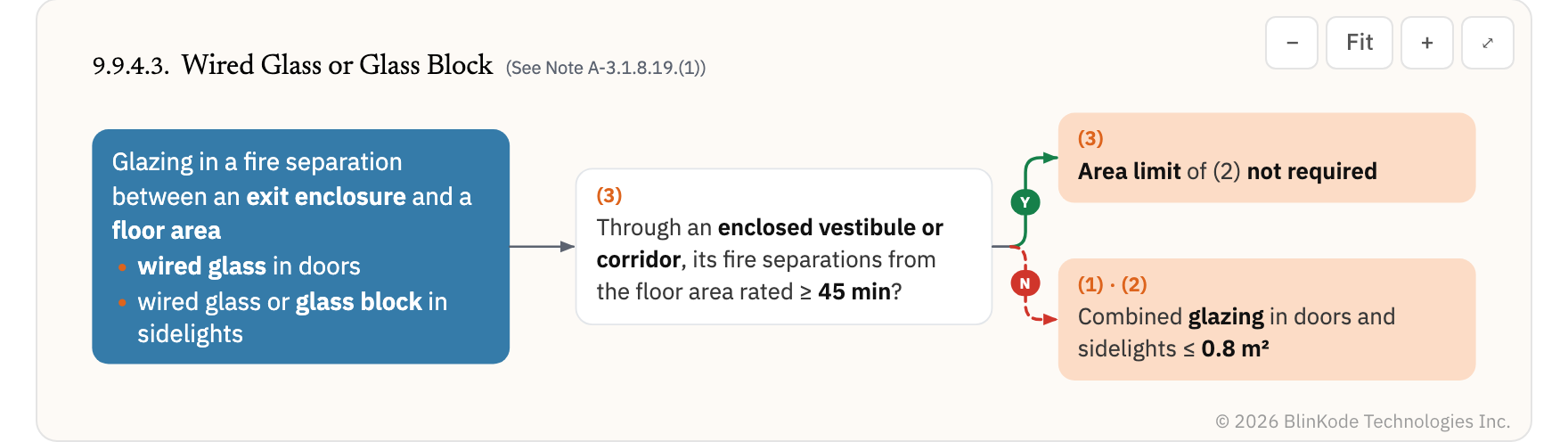
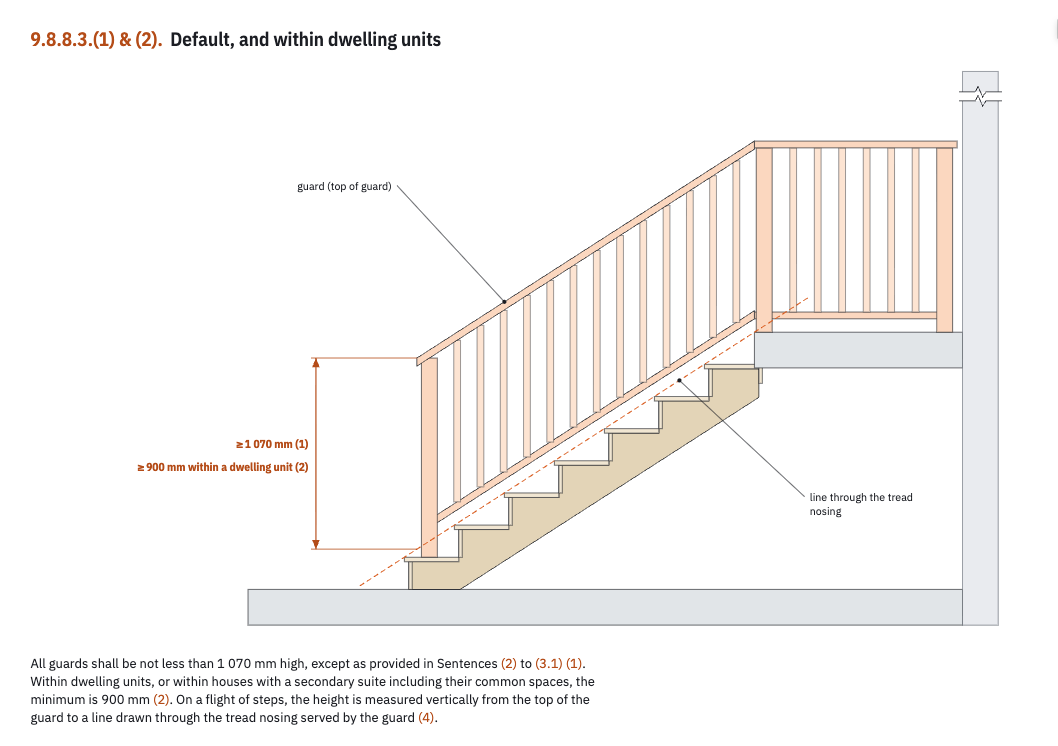
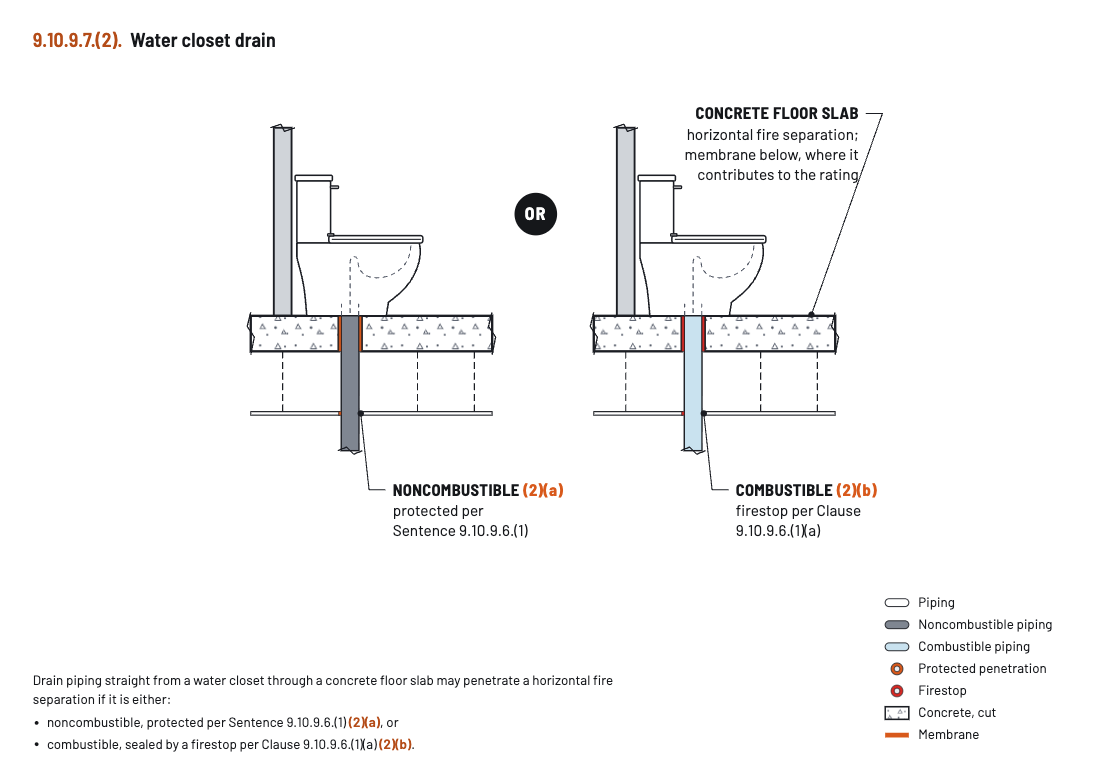
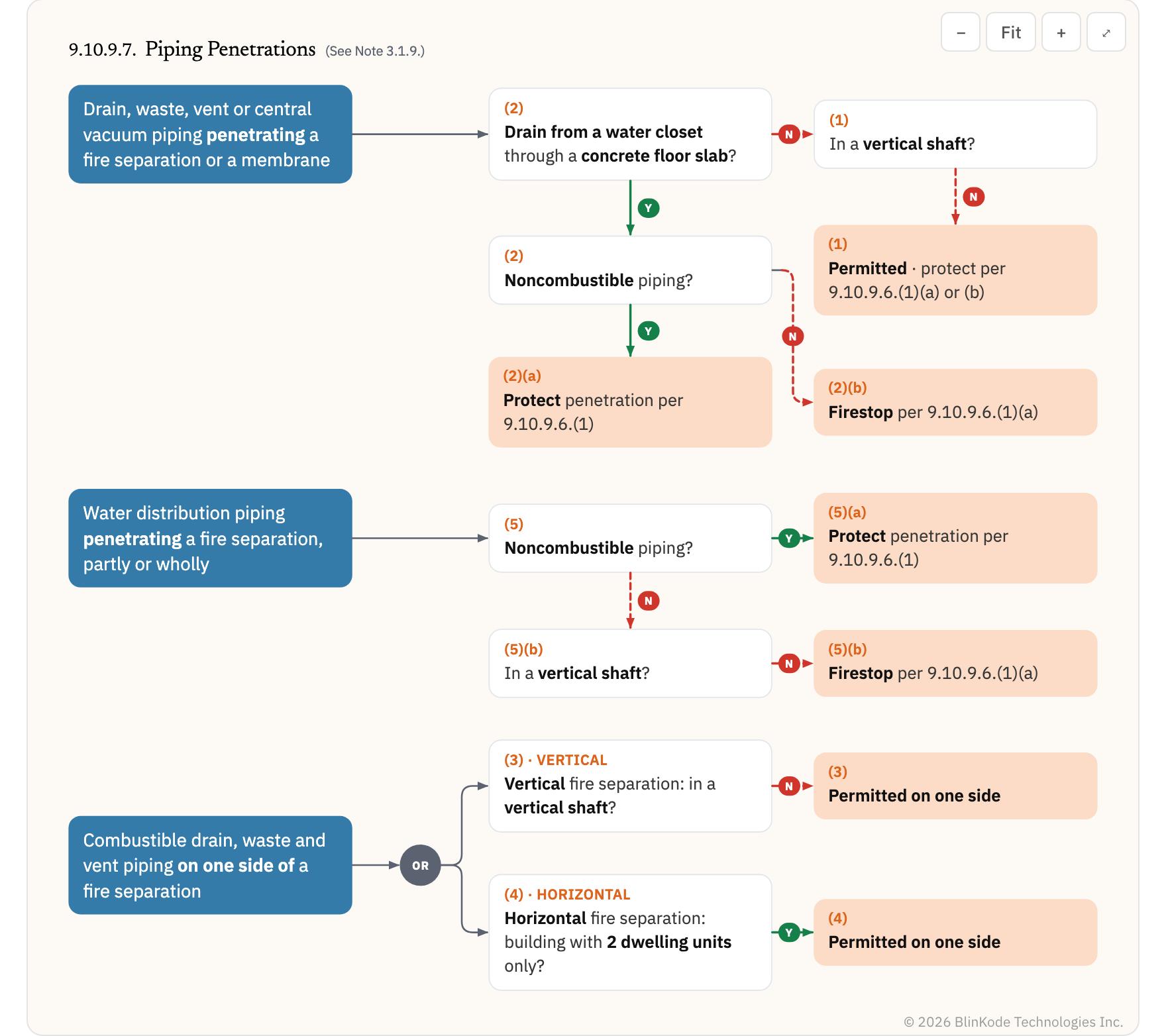
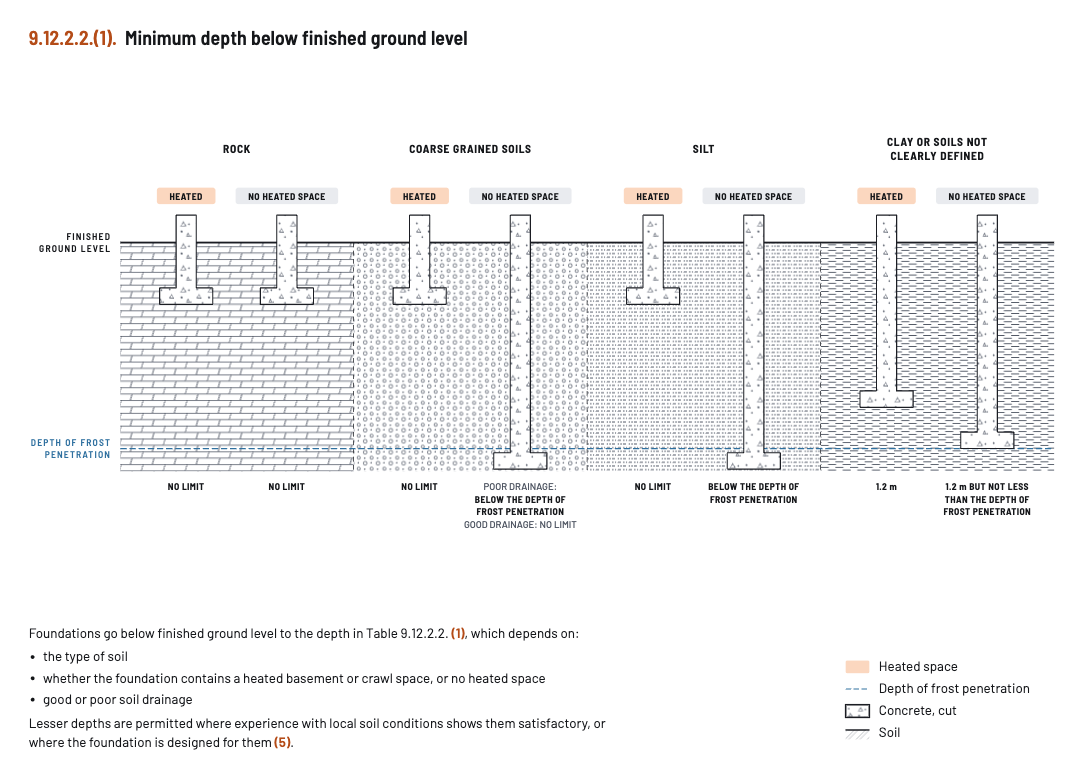
Where a drawing helps, the Master Card carries one, drawn from the article. Its decision chart lays out the conditions, branch by branch.
 © 2026 BlinKode Technologies Inc.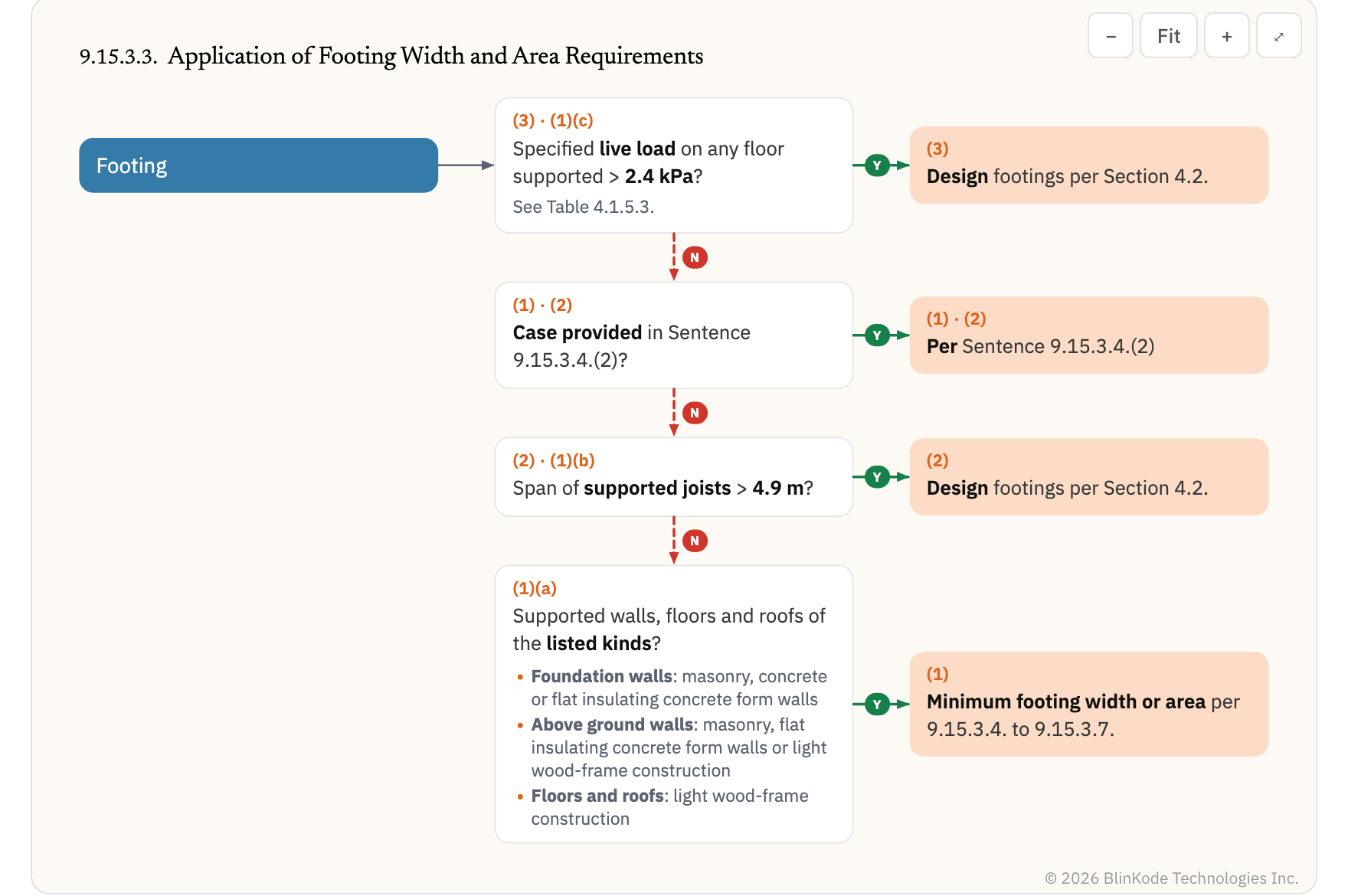
 © 2026 BlinKode Technologies Inc.
 © 2026 BlinKode Technologies Inc.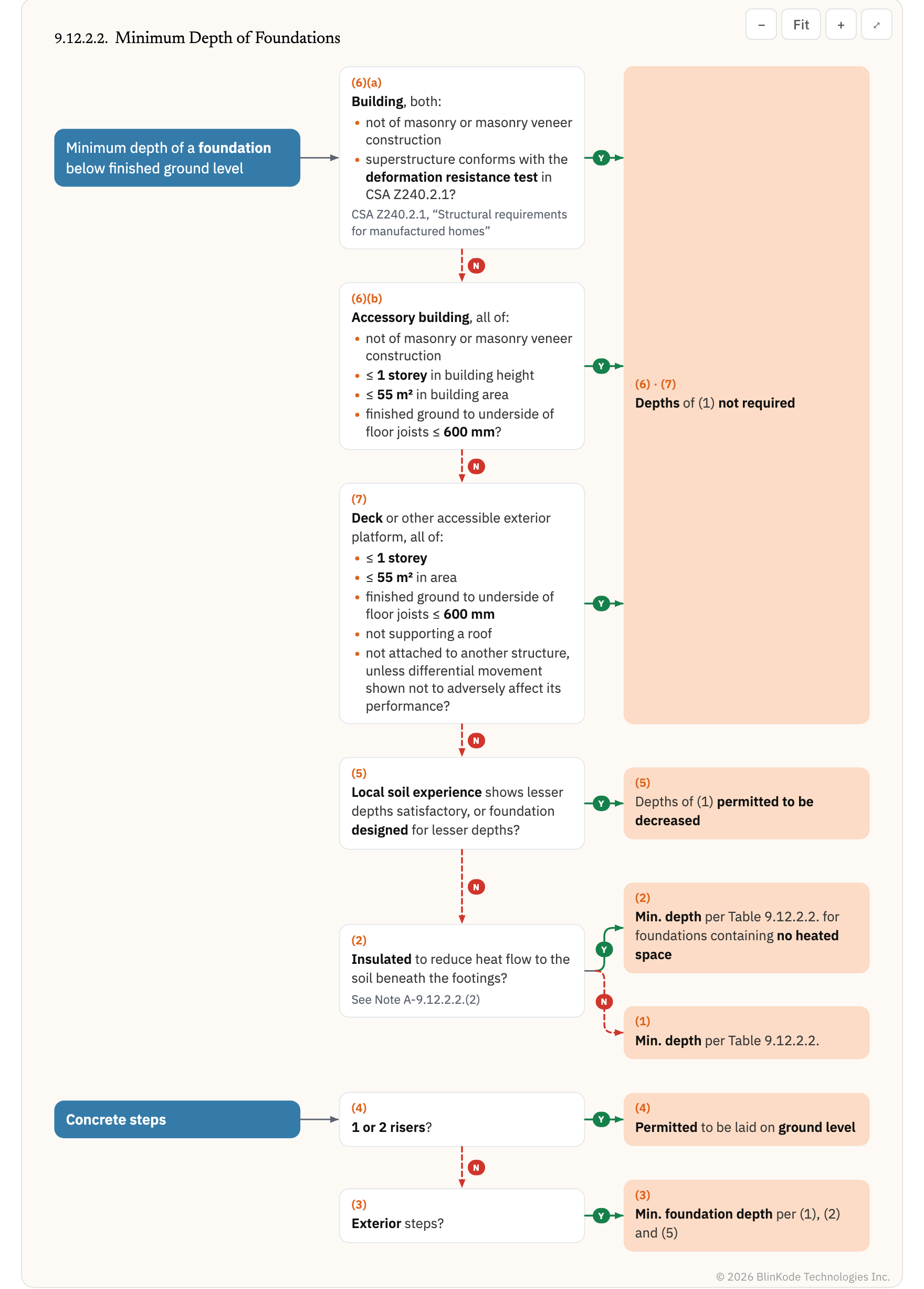
 © 2026 BlinKode Technologies Inc.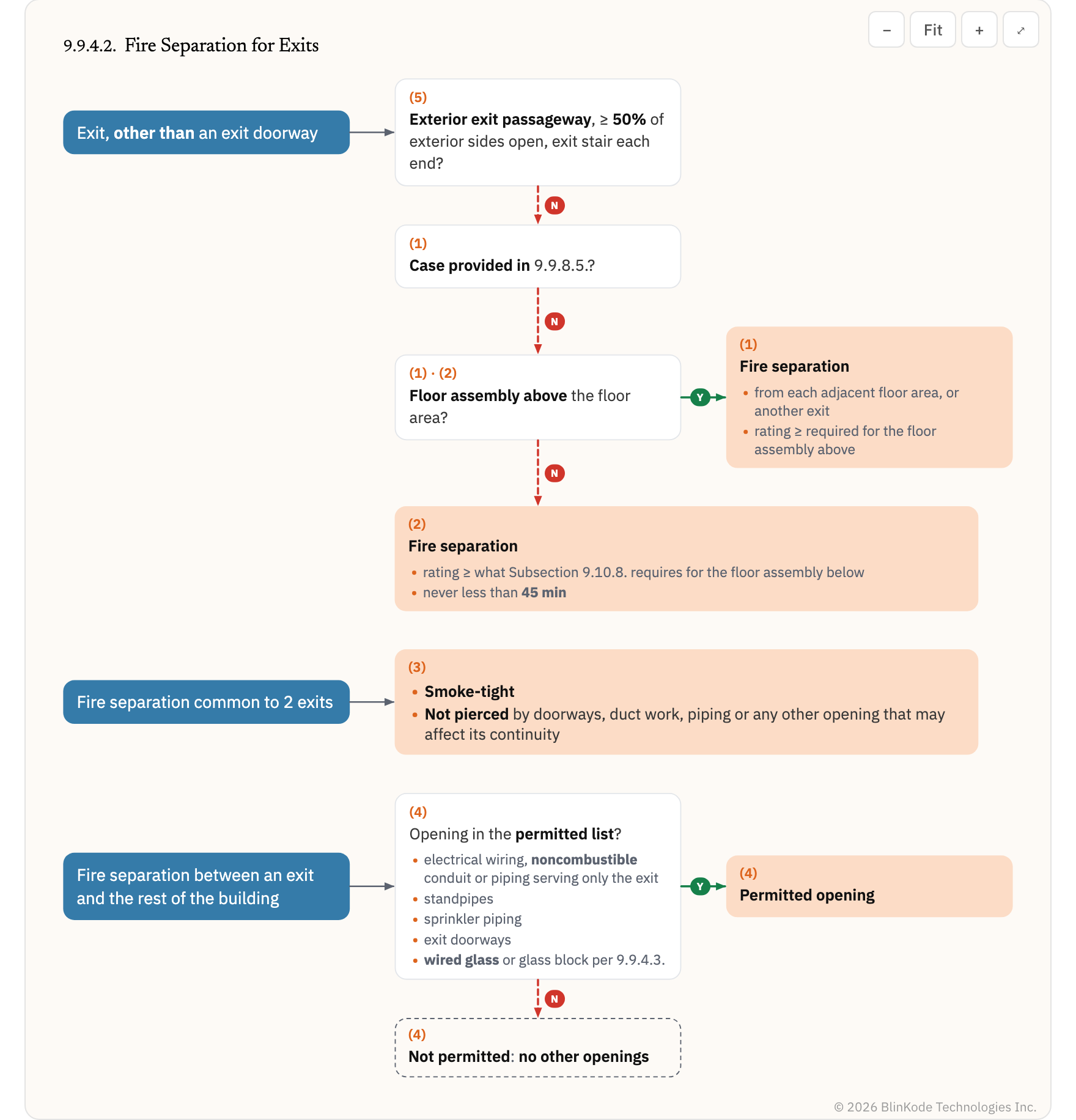
 © 2026 BlinKode Technologies Inc.
The requirements that follow from a building’s facts
Its occupancy, storeys, area and use, worked out from what you enter once, each with its source.
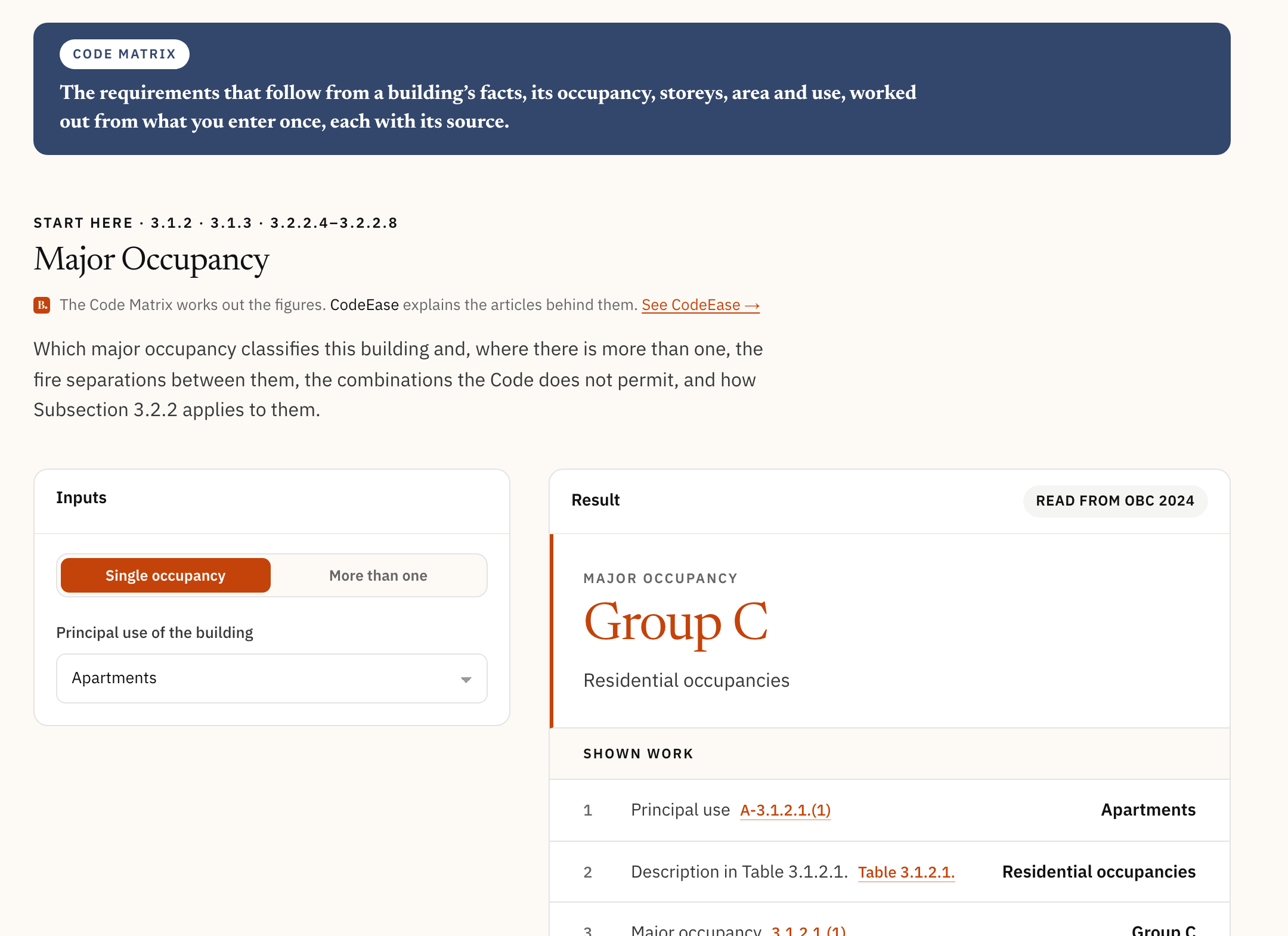
A calculator for each question the code asks of a building
Each calculator answers one question the code asks of a building, from which major occupancy classifies it to what applies to an existing one.
Major Occupancy on blinkode.ca, signed out: Apartments gives Group C.
Municipal permit documents, organised and searchable
The municipality lists what to submit. CodeEase shows what the building code asks of it. An account keeps a shelf and your notes.
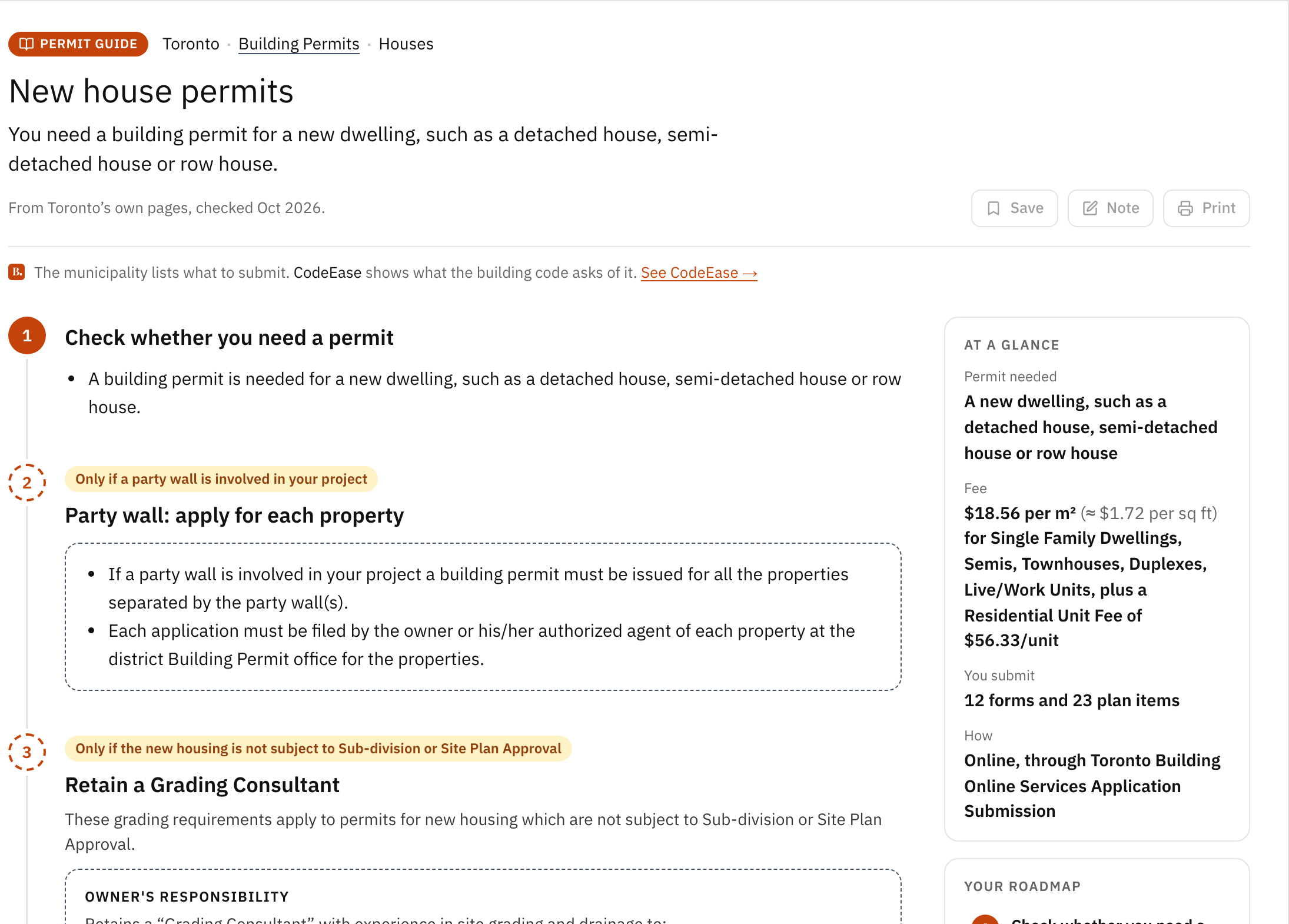
The municipality’s steps, one project at a time
Step-by-step guides for common projects, in the municipality’s own words: whether you need a permit, the fee, what you submit and how, and the steps that apply only sometimes.
Toronto’s New house permits guide on blinkode.ca.
Reviews and reports, coming soon
One plugin, two modes. It names; it does not fix, and it does not decide. No date yet.
On a sheet while you design
It will read the sheet in front of you against the code and name each requirement not met, pinned where it sits, with the sentence it does not meet.
On the whole package before you submit
It will read the drawings and documents of a permit package against the code and name each requirement not met, with its source, in a report.
Open Code Matrix or DocHub now
Both work in your browser, with nothing to install.
What are Code Matrix and DocHub?
Code Matrix: the requirements that follow from a building’s facts, its occupancy, storeys, area and use, worked out from what you enter once, each with its source. Every result is a derivation, not a number: each step with its arithmetic and its article, and the article opens on its Master Card.
DocHub: municipal permit documents, organised and searchable. Step-by-step permit guides for common projects, in the municipality’s own words, and the forms, checklists, fee schedules, by-laws and bulletins behind them, kept as the originals and read in place, with one search across them. An account keeps a shelf and your notes.
What is the difference between CodeEase and Codiag?
BlinKode advises on a building permit, and will review the work against the code and report on it.
CodeEase advises, here now: it brings the requirement, what it depends on and where it is written, and you decide what to do with that. Codiag reviews and reports, coming soon: it will read your drawings and your package against the code and name each requirement not met, with the sentence it does not meet.
Do I need to install anything?
CodeEase, Code Matrix and DocHub run in your browser. Codiag will run as a plugin inside your design software, coming soon.
Which codes and jurisdictions does it cover?
The Ontario Building Code is available now, structured and searchable, every edition addressed separately. More Canadian codes are coming soon. Ontario is where we started, not where we stop.
Where does BlinKode stop?
BlinKode does not approve anything. That stays with the building official. BlinKode does not decide. The people who do this work do. BlinKode does not guarantee compliance or a permit. BlinKode is not legal advice.
How do I get started?
CodeEase comes with a free 30-day trial: no card, one trial per person, and nothing to install. Or book a demo: twenty minutes online, to see CodeEase and tell us where it falls short.
Ready to explore the code?
Start with the building code: the whole book, with Master Cards, Code Assistant, Project Assistant and the workspace.
Free for 30 days, no card. We email you when it is ready.