Working out what a building's facts require means following one article into the next.
Code Matrix does it from the facts you enter once, and shows every step: what it read from the building, the arithmetic, and the article it came from.
Every calculator, checked against its articles
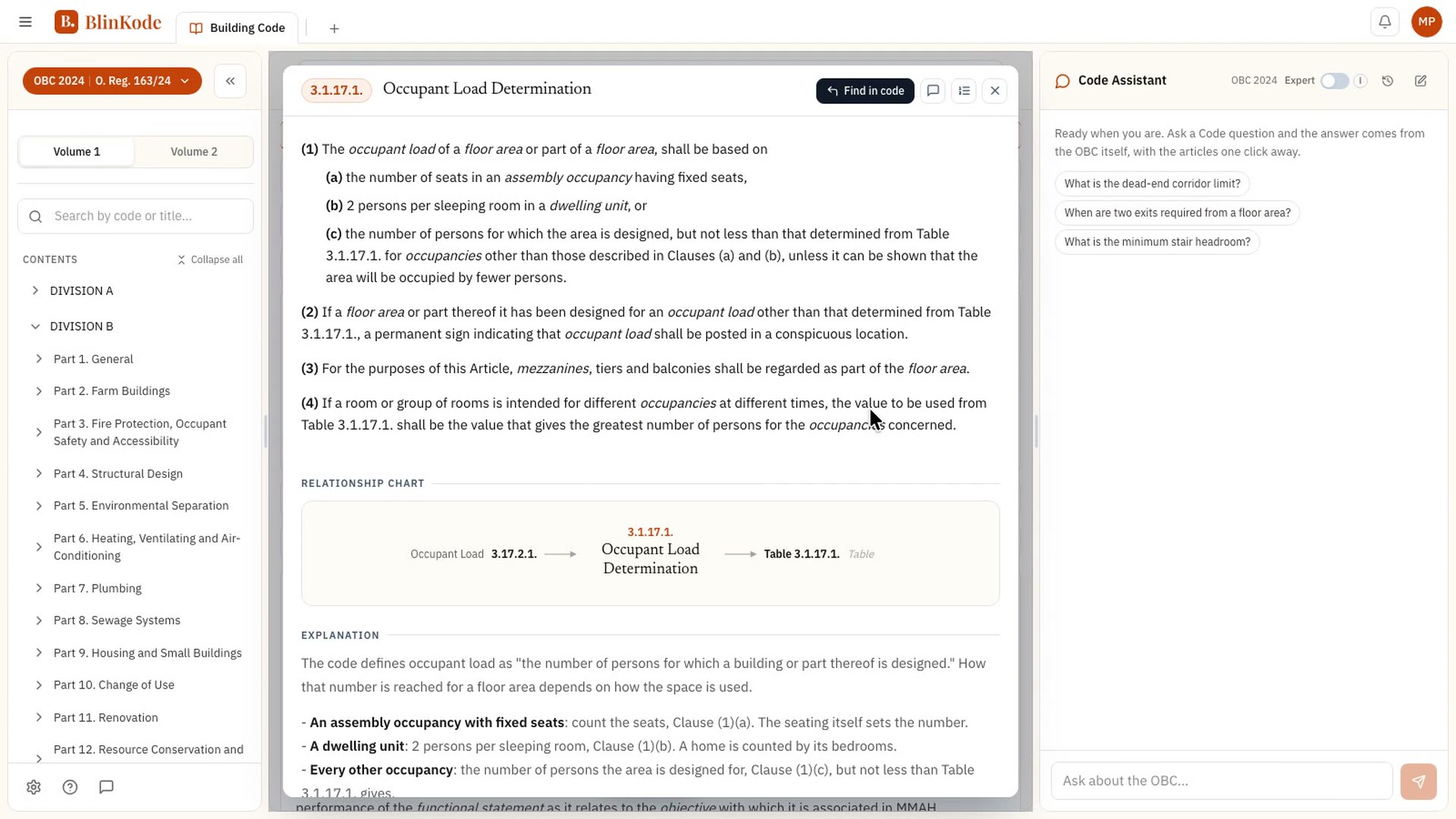
The article behind each step opens on its Master Card, so you can read it there yourself.
Three steps from a building to its requirements
- 1
Pick a calculator
Start with Major Occupancy, Part 3 or Part 9, or Edition in Force: what classifies the building comes first.
- 2
Enter your building's facts
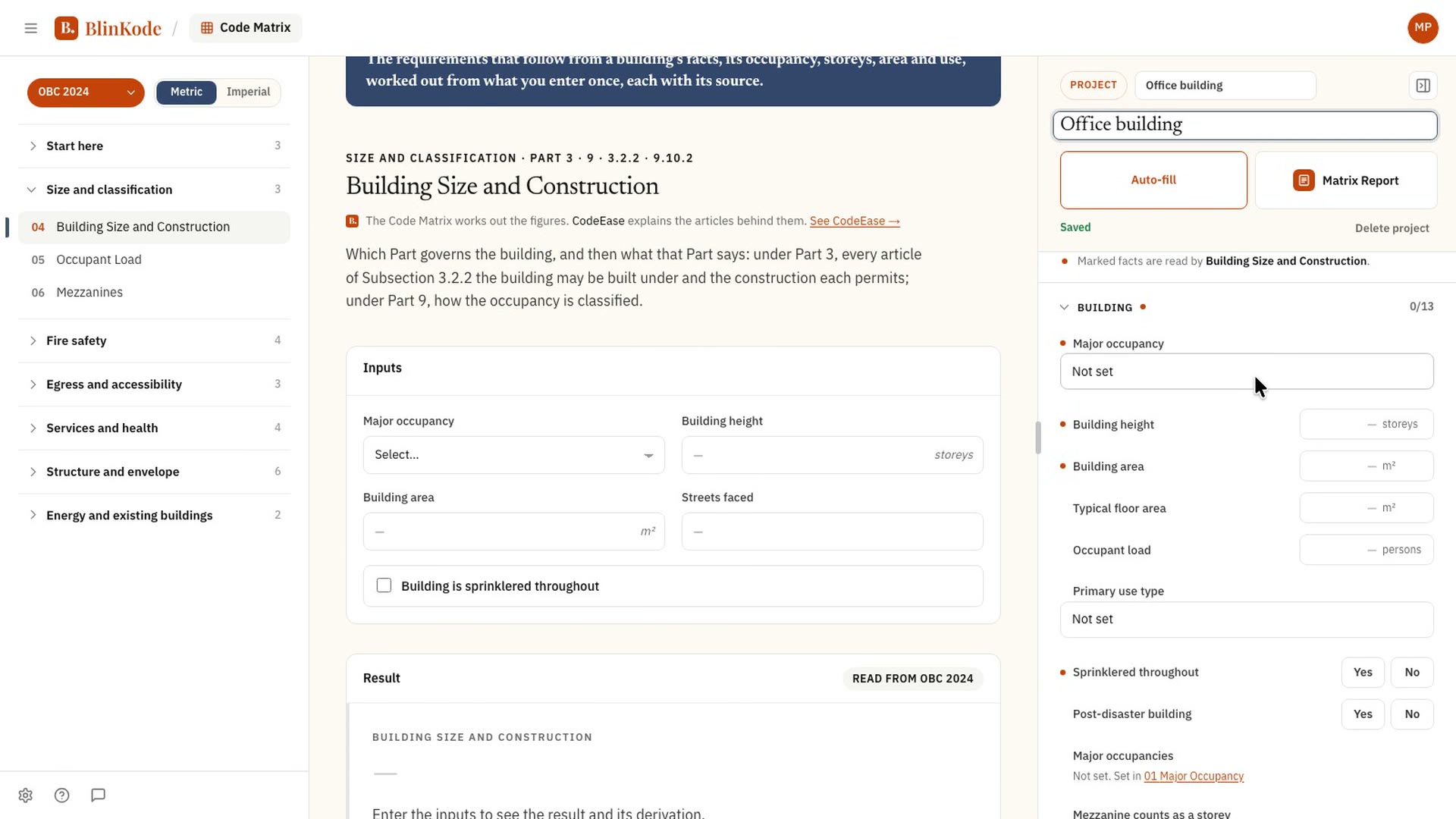
Occupancy, height, area, streets faced, sprinklers. Enter a fact once and every calculator that needs it has it.
- 3
Sign up to run them all
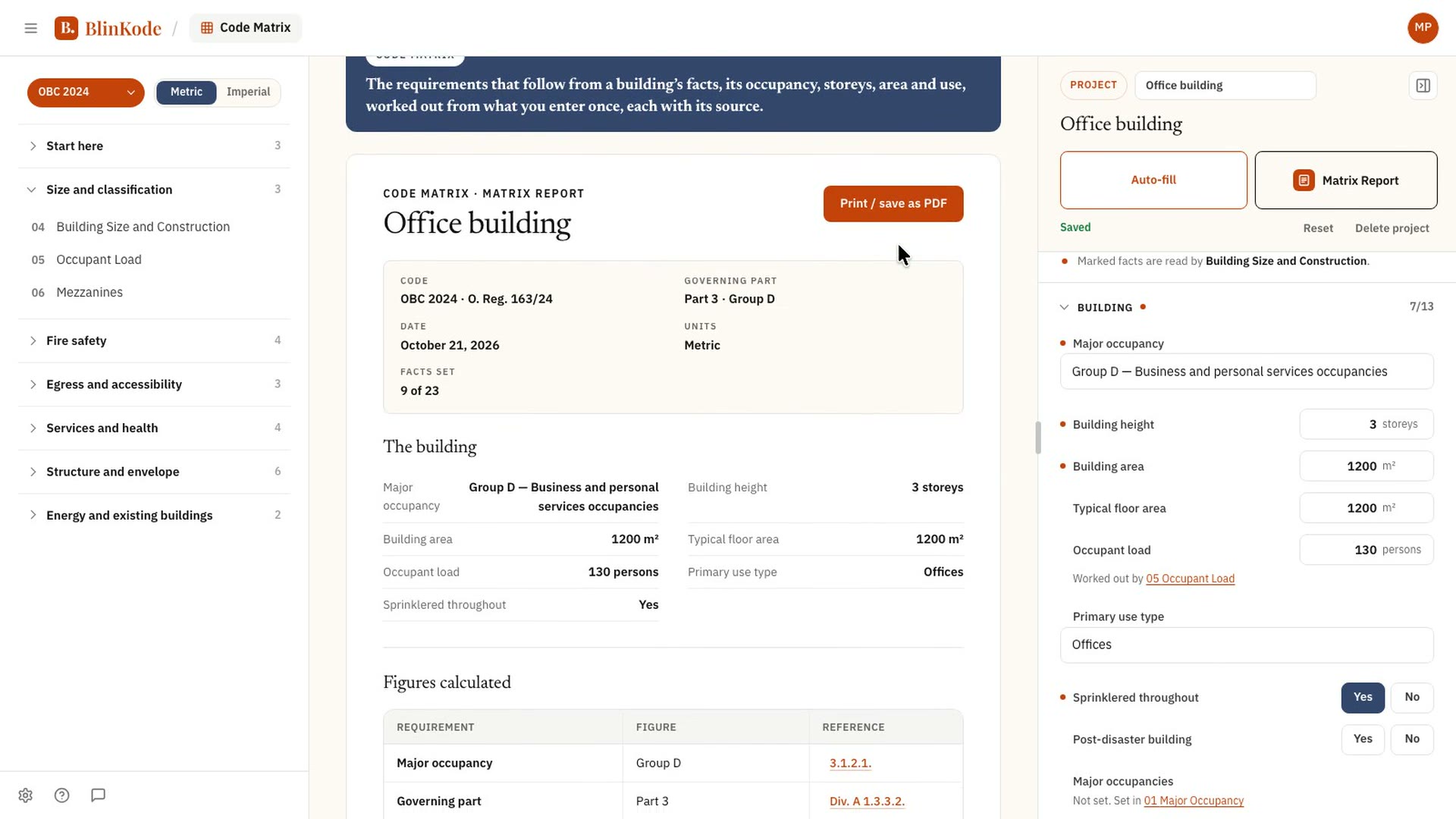
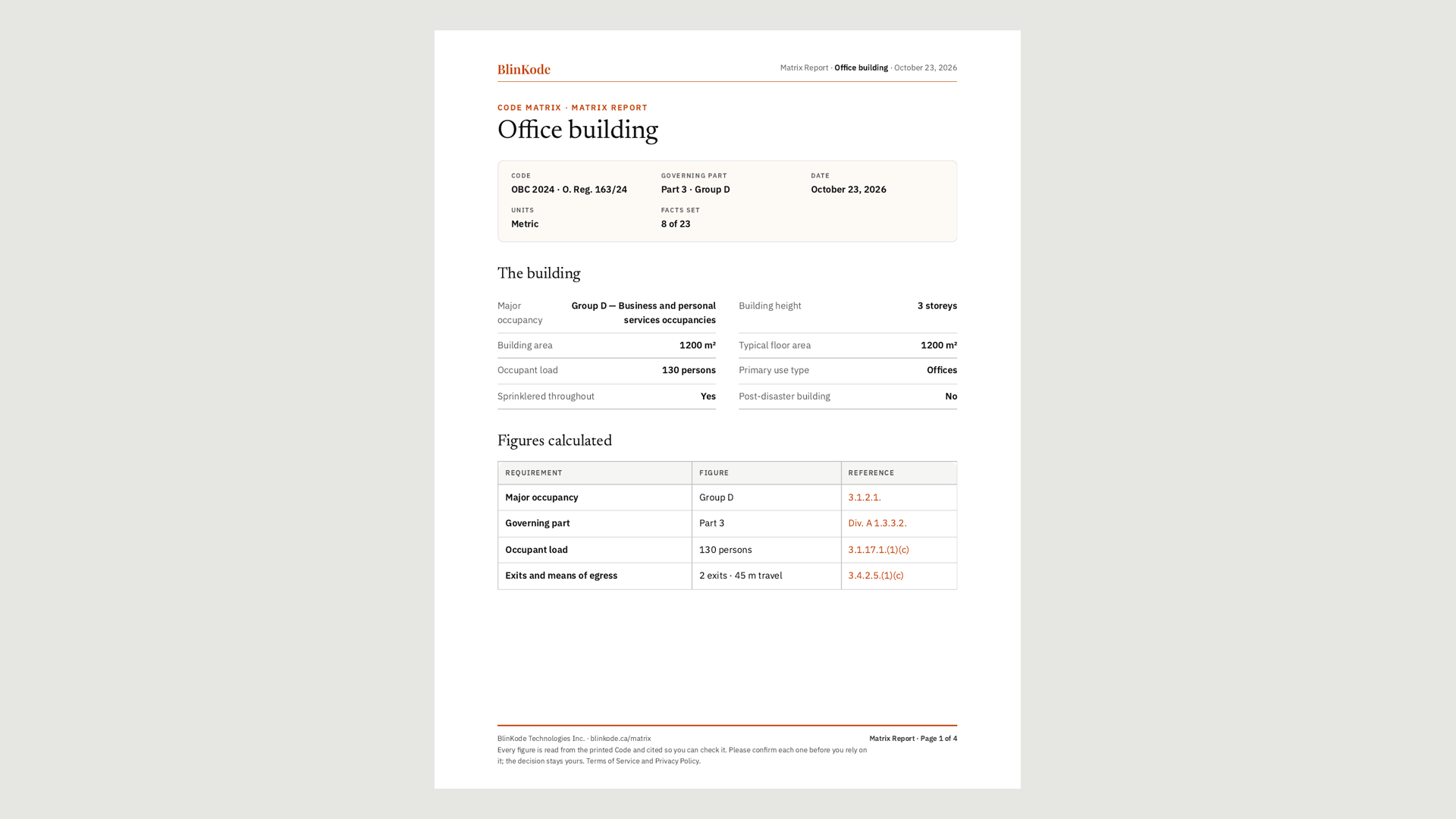
With an account every calculator answers, your buildings are kept as projects, and the Matrix Report puts every result on one page.
One page, from the facts to the report
Result and shown work
A figure is only useful once someone can follow how it was reached.
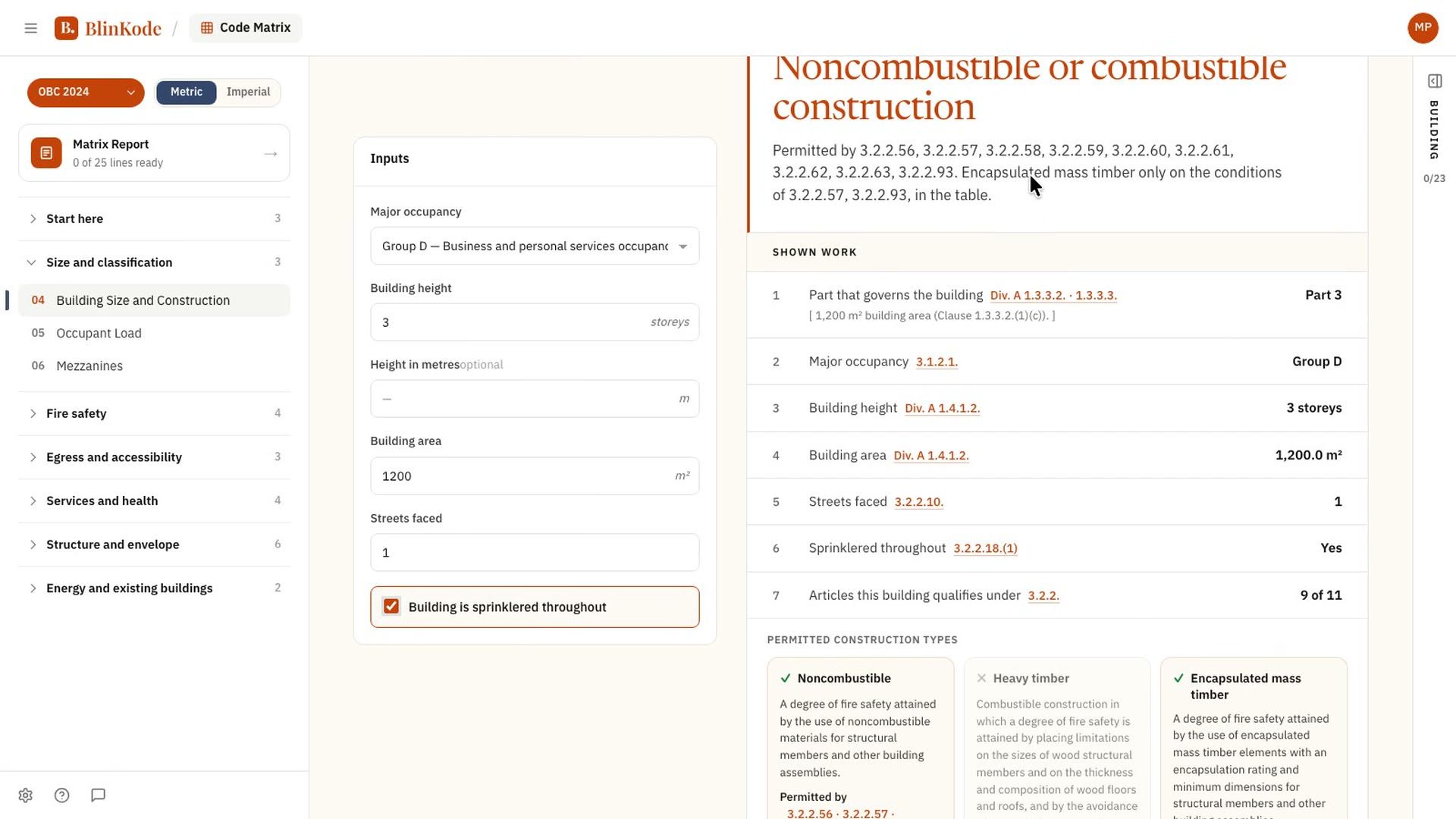
The result comes with the working: each step names what was read from the building and the article it came from, and the article opens on its Master Card.
- Every step is a line: what it is, its article, its value.
- Read from the edition you picked, said on every result.
The result for this building, then its shown work: each step with its value and the article it came from.
About Code Matrix
What does a result show?
The figure, and the working behind it: each step with what was read from the building, its arithmetic, and the article it came from.
Which edition does it read?
The one you pick in the edition pill. Every result says the edition it was read from.
Can I keep a building and come back to it?
Yes, with an account: each building is kept as a project, with its facts, and every calculator reads them.
Can I print the results?
The Matrix Report puts every result for the building on one page, to print or save as a PDF.
Does it say whether my building complies?
No. It works out what the code requires from the facts entered, and shows its working. BlinKode does not decide; the people who do this work do. Approval stays with the building official.
How does it work with CodeEase?
Every article a calculator names opens in CodeEase, on its Master Card, where it is explained.
Available nowthe Ontario Building CodeComing nextmore Canadian codes, and more calculators
Start with your building's occupancy.
Pick a calculator and enter the building's facts. Sign up to run them all.